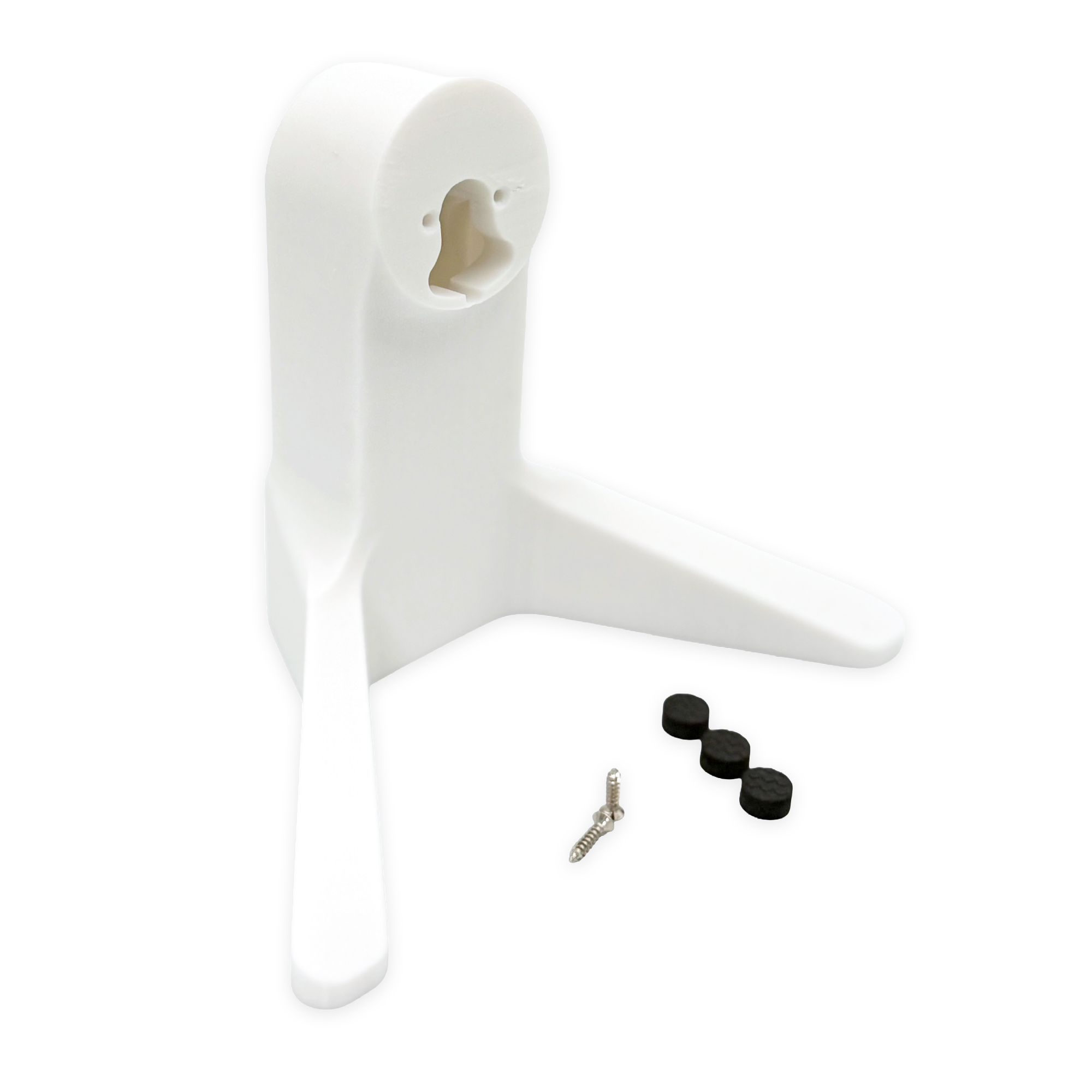
Tabletop Camera Mount
The Perch
A purpose-built 5" tabletop stand for Ubiquiti Unifi G4 and G6 cameras. It lifts the camera to a clear vantage point and routes the cable out of sight.
Buy on Amazon (opens in a new tab)The Perch mounts your Unifi camera the same way a wall plate would: the camera's own base plate screws onto the flat mounting face, so the camera keeps its full range of tilt and rotation. The cable runs through the integrated cord guide and into the cavity behind the stand.
Installation Instructions
Follow each step in order. The whole installation takes about a minute.
-
Step 1
Unbox the stand and check your hardware. Every Perch ships with two screws and a set of self-adhesive rubber feet.
-
Step 2
Line the camera's base plate up with the mounting face on the stand and secure it with the two included screws. Feed the camera cable through the integrated cord guide as you go.
-
Step 3
Seat the camera on the mounted base plate and rotate it to the angle you want. Tuck any slack cable into the cavity behind the stand.
-
Step 4
Peel and stick the rubber feet to the underside of the legs, then set The Perch wherever you need the view.
Still need a hand?
If something doesn't fit right, or you have another issue with the product, please reach out so we can help.
Contact support